Labs / Design Lab
Design LabBeta
Lay it out, say what the laser does, take the files.
Lay out a sheet the size of your material: add words in one of the typefaces and shapes from a rectangle to a shield, say for each one whether it is engraved, scored or cut, then size, place, line up, weld and offset them. The sheet is checked for anything off the edge or too thin for the operation, and one download holds a LightBurn project with a layer for each operation plus an SVG, DXF and PDF for any other program. Every Lab can hand its work here to finish. We make sure the files are right; we never run your machine.
Beta means new: it works end to end, and the styles, controls and outputs may still change as people use it.
- Laser
Open the Design LabFree to try; every Lab without a plan of its own: an export costs one export credit, or is included in Maker and every plan above it, like any other export. Pricing
What people make with it
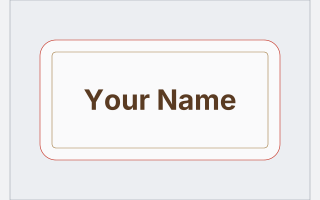
- A sign with a name engraved and a border cut
- A coaster set laid out in a grid
- A label sheet with a score line to fold along
- A finishing pass on a map from the Geo Lab
The journey, in four steps
- Add. Words and shapes on your sheet.
- Arrange. Size, place, line up and join what you added; pick engrave, score or cut for each.
- Check. Your sheet size, and anything off the edge or too thin for the operation.
- Export. A LightBurn project, SVG, DXF and PDF, with engraving, scoring and cutting on their own layers.
A sheet as a LightBurn project, SVG, DXF and PDF, with engraving, scoring and cutting on their own layers, run in the right order.
What is on the sheet
- Words in any of the typefaces, and shapes from a rectangle to a shield.
- Engrave, score or cut for each object, run in the right order: light burns before cuts.
- Weld, subtract and keep the overlap; grow or shrink an outline; join open lines.
- Line things up with guides that snap, space them evenly, group them, and copy them into a grid or a ring.
- Bend words on a circle or along the edge of another shape; add a north arrow, a date, coordinates and a scale bar.
- Make one plate for each name in a list, then nest the parts to fit the sheet.
- Open your own SVG, DXF, LightBurn project, PDF or picture, or finish any other Lab's sheet here.
Files your software opens
A LightBurn project with one layer for each operation, and an SVG, DXF and PDF for any other program. We guarantee the file, not the machine: nothing here sends a job to a laser.
Honest about the limits
Outlines are straight segments, so there are no curve handles to drag. Opening a file leaves out what a laser cannot use (gradients, clip paths, hatches, placed objects) and says so. Speeds and powers are starting points; burn a test on scrap first.
What you get: A sheet as a LightBurn project, SVG, DXF and PDF, with engraving, scoring and cutting on their own layers, run in the right order. Pricing is the same as every export: pricing.
Start with a blank sheet.
All Labs · Slice a 3D model · Night sky · Line art from a photo · Sundial and sun path · Ski Lab · Mosaic Lab · Trace and clean up · Logo maker · Product Lab · Learn