Labs / Product Lab
Product LabBeta
A box that fits, in any outline you like.
Make boxes people give and sell: a finger-jointed box with a lid that lifts off, or a flex box in any outline, a heart, a star, a letter or a shape you open from a file. Type your sheet thickness and get every part on one sheet with the tabs and slots drawn for it, ready to cut in your own laser software.
Beta means new: the files are checked by reading them back, and the fit numbers are starting values. Cut a test box from scrap before the real one.
- Laser
Open the Product LabFree to try, and one plain file is free with no account. The LightBurn project and the other file types cost a credit, or come with Maker. Pricing
One sheet for each family
Each family has its own page with the parts, the choices and the limits.
-
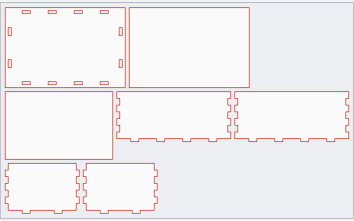 01 Finger boxes Square corners that lock together, and a lid you lift off. 7 parts, sheet 353.6 by 215.6 mm
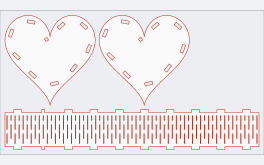
- 02 Flex boxes Any outline. One wall strip bends round it on a living hinge. 3 parts, sheet 263.5 by 144 mm
-
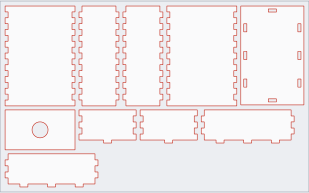 03 Drawer boxes A sleeve and a drawer that slides in it, with a finger hole. 10 parts, sheet 309.2 by 191.2 mm
-
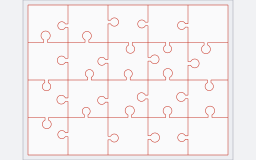 04 Puzzles A board cut into interlocking pieces, the same cut every time for the same number. 1 part, sheet 210 by 160 mm
-
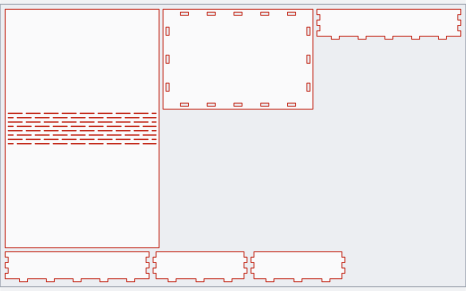 05 Book boxes A tray and a cover that wraps it on a living-hinge spine. 6 parts, sheet 466 by 282.7 mm
-
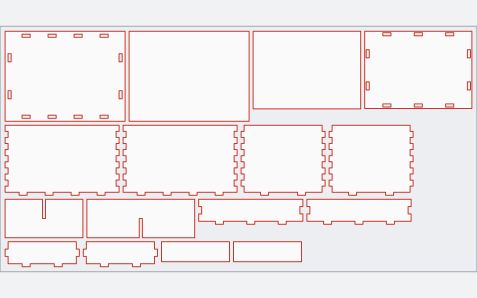 06 Jewellery boxes A lidded box with a cross of dividers and a lift-out tray. 16 parts, sheet 476.8 by 245.5 mm
How it works
Pick
A box, drawn the way it is cut beside the way it folds.
Size
Width, depth, height and the thickness of your sheet.
Check
Will it fit your bed, and what to look at first.
Export
SVG, DXF, a LightBurn project and a PDF, every part a cut.
What people make with it
- A heart-shaped keepsake box in 3 mm birch
- A finger-jointed gift box with a lift-off lid
- A round tin for a candle, with a bending wall
- A box in the outline of a logo you drew
What you get
- Files that fit
- The tabs and slots are drawn for your sheet thickness, your kerf and your fit, so the parts go together after the cut.
- Any outline
- A flex box takes a heart, a star, a hexagon, an oval, a rounded shape, or a closed outline you open from an SVG or DXF.
- Kerf aware
- Type the width of your cut and the slots and tabs allow for it, or leave it at zero and let your laser software offset the cuts.
- Checked first
- The Check step says whether the sheet fits your bed and lists anything to look at before you cut.
- Opens in your software
- An SVG and DXF for any program, and a LightBurn project with every part as a cut.
- Finished in the Design Lab
- Hand the sheet to the Design Lab to add a name or engrave the lid before you export.
What it costs
Free, no account
- One product as a plain SVG or DXF, every part a cut.
- Look at it, change the numbers and look again as often as you like.
A credit, or Maker
- The LightBurn project and the other file types we write, with every part on its own layer, run in the right order.
The numbers are on the pricing page and nowhere else. See pricing
What it does not do yet
It is Beta. Sheet thickness, kerf, fit and the bend radius of the hinge are starting values we have not yet cut and measured on a machine. Cut a test box from scrap first.
It writes the file and never sends it to a machine, never runs one and never frames or jogs one.
A flex box rounds any corner tighter than its bend radius and tells you, and the two ends of its wall strip meet with no lock: close them with glue or a band.
A finger box has an open top or one of five lids: lift-off, sliding, hinged, flip or drop-in, with or without loose dividers. The hinge pins are square in round bearings, so a new hinge is tight at first. That fit has not been cut on a machine yet.
Pick a box and size it.
All Labs · Slice a 3D model · Night sky · Line art from a photo · Sundial and sun path · Ski Lab · Mosaic Lab · Trace and clean up · Logo maker · Design Lab · Learn