Labs / Slice a 3D model
Slice a 3D modelBeta
A 3D model, cut into slices you stack.
Bring a 3D model you already have (an STL from a scan, an OBJ from a modeller, a 3MF or GLB from the web) and turn it into stacked layers, ribs with rails, or an egg-crate waffle for your laser, in the same materials and on the same machines as a map. Hang it on the wall or stand it on a shelf.
Beta means new: it works end to end, and the styles, controls and outputs may still change as people use it.
- Laser
- Panels
Open the slicerFree to try; every Lab without a plan of its own: an export costs one export credit, or is included in Maker and every plan above it, like any other export. Pricing
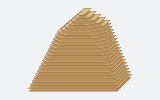
Bigger than your machine? Flat pieces split into numbered panels today; a solid split for big 3D prints is coming. See how
What people make with it
- A taxidermy elk mount in cardboard ribs
- A bust in stacked plywood
- A car body as an acrylic waffle
- A logo, extruded, as layered chipboard
The journey, in four steps
- Drop a model. STL, OBJ, 3MF or GLB. Big files are simplified; small holes are closed for you.
- Make it sit right. Say which way is up, mirror it, put its flattest side to the wall, and give it one size: the rest follows.
- Pick the style. Stacked layers, ribs with rails, or waffle, in your material; the layer count follows the thickness.
- Export. Numbered pieces nested on your sheets, a LightBurn project, SVG, DXF and PDF, and the assembly order.
Cut sheets for your laser, pieces numbered in assembly order, with a keyhole hanger or a slotted base if you want one.
The three styles
- Stacked layers. Slices across one direction, glued in number order, with the next outline burned on each so the stack lines up; optional hollow middle and alignment pins; a keyhole hanger on the back layer.
- Ribs with rails. Parallel slices held by rails that pass through every rib, or flush with no rails; a slotted base plate for a standing piece.
- Waffle. Ribs both ways that slot together like an egg crate: the X ribs are slotted from the top and the Y ribs from the bottom.
Slots are drawn to the material thickness plus a fit you choose, then offset by half the kerf, the same rule the laser maps use, so parts slide together on the first try.
Files we read
STL, OBJ, 3MF, GLB. Files over about two million triangles are simplified, and small holes in a scan are closed; a model that is far from closed is sent back to your modeller with a plain message. We never fetch or host other people's models by address: the file stays in your browser until you export.
The full list of file types we read and write.
Where to find a model
- Smithsonian Open Access 3D. CC0: free for anything, including selling what you make, no credit required.
- Scan the World (MyMiniFactory). Mostly CC BY-NC: personal use with credit; check each model before selling.
- Printables. Licence set per model by its author (often CC BY or CC BY-NC); read it on the model page.
- Thingiverse. Licence set per model by its author (often CC BY-SA or CC BY-NC); read it on the model page.
- Sketchfab (downloadable). Filter by Creative Commons; each model states its own terms. GLB downloads open here directly.
Starter models that ship with the slicer
- Pebble. A smooth rounded stone, good for a first stacked model.
- Ring. A torus: see how holes and two-part layers come out.
- Peak. A low-poly mountain with a flat back, made for ribs or waffle.
Made by Infinimaker and released under CC0 1.0: use them for anything, no credit required.
Drop a model and see it in slices.
All Labs · Night sky · Line art from a photo · Sundial and sun path · Ski Lab · Mosaic Lab · Trace and clean up · Logo maker · Design Lab · Product Lab · Learn